

If you’ve been on LinkedIn lately, you’ve probably seen the AI-flex posts.
Some marketer automated their entire workflow. Cut their week to four hours and cloned their voice. Built an agent that drafts, ships, and reports on itself. Maybe whitened their teeth too.
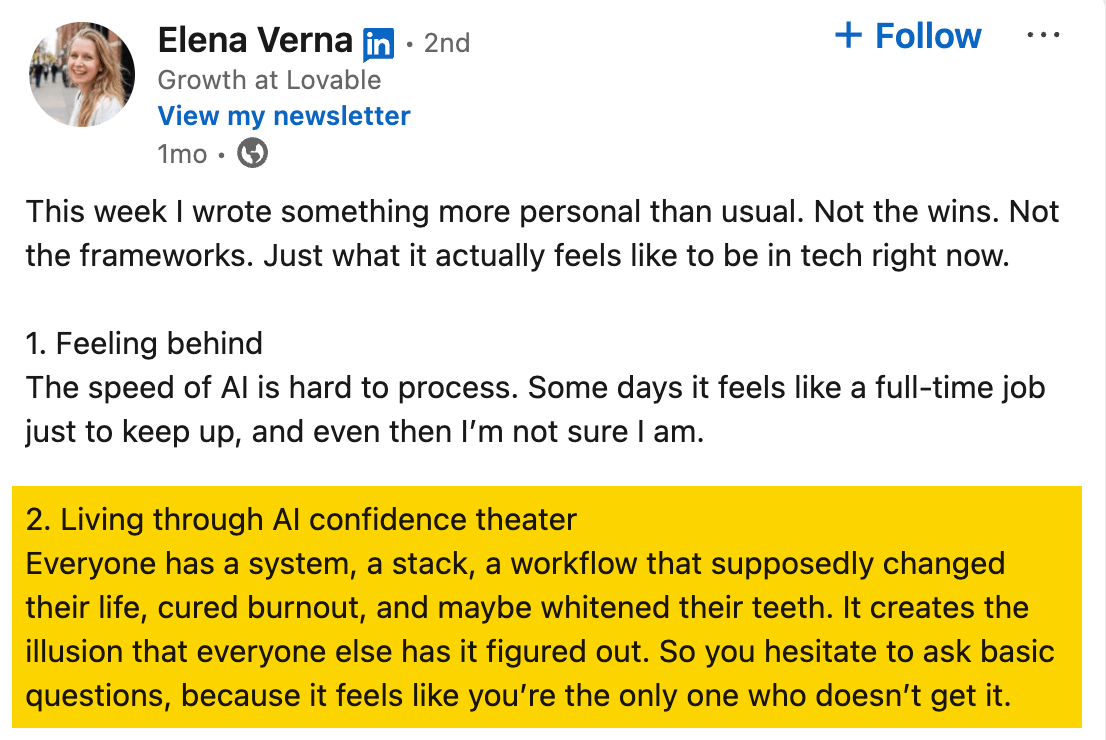
Elena Verna, CMO at Lovable, called it out perfectly:
“Everyone has a system, a stack, a workflow that supposedly changed their life, cured burnout, and maybe whitened their teeth. It creates the illusion that everyone else has it figured out. So you hesitate to ask basic questions, because it feels like you’re the only one who doesn’t get it.”
Beyond LinkedIn, there’s a quieter pressure: every content team I know is being told from above to “use AI more”. So that the team can cut costs, ship faster, and be more productive. Not just 10X, but 100X.
The problem is “use AI more” isn’t a brief. It creates anxiety and not direction. So most marketers I know are stuck in this weird middle: they know AI could help, they don’t know where to start, and they don’t want to admit it on LinkedIn.
This is silly because content and SEO teams are sitting on a pile of obvious automation candidates. For example: research, updating posts, monitoring competitors, refreshing data, finding ideas, drafting briefs, and formatting for WordPress.
So instead of telling everyone on the Ahrefs content team to “use AI more,” we tried something more concrete.
We ran an AI hackathon with Agent A, our AI marketing agent.
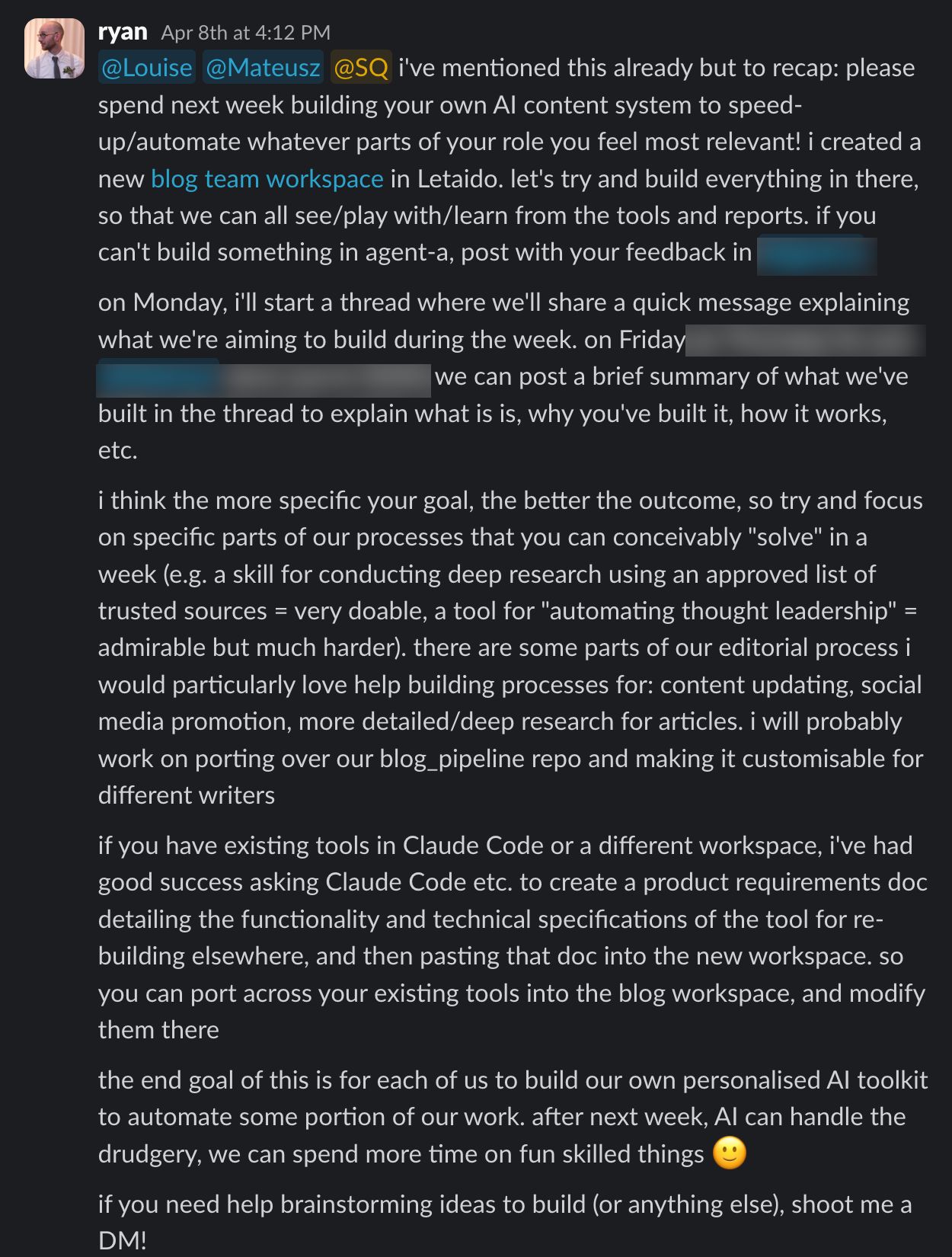
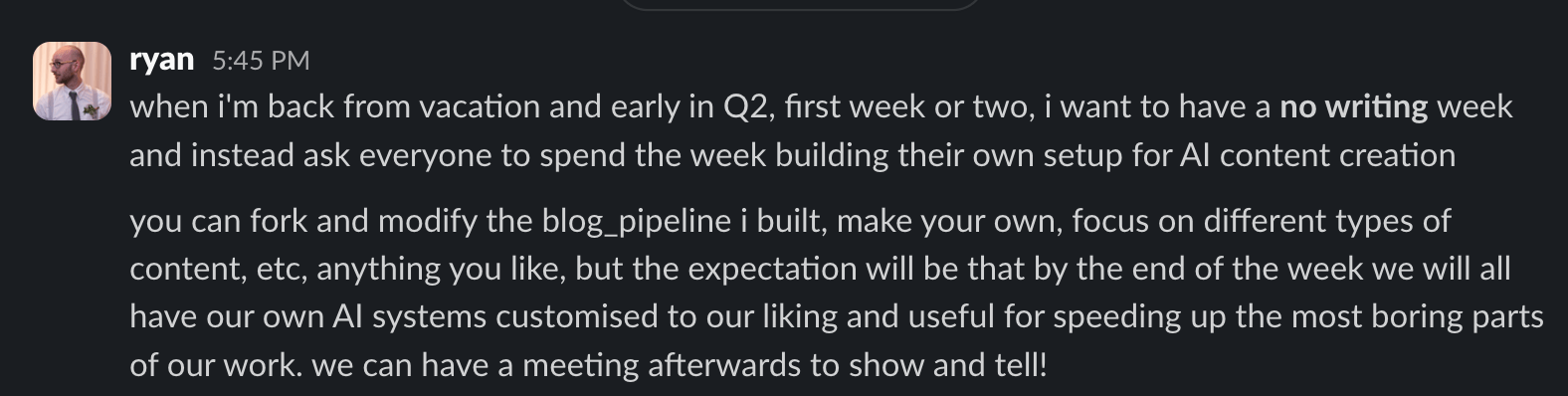
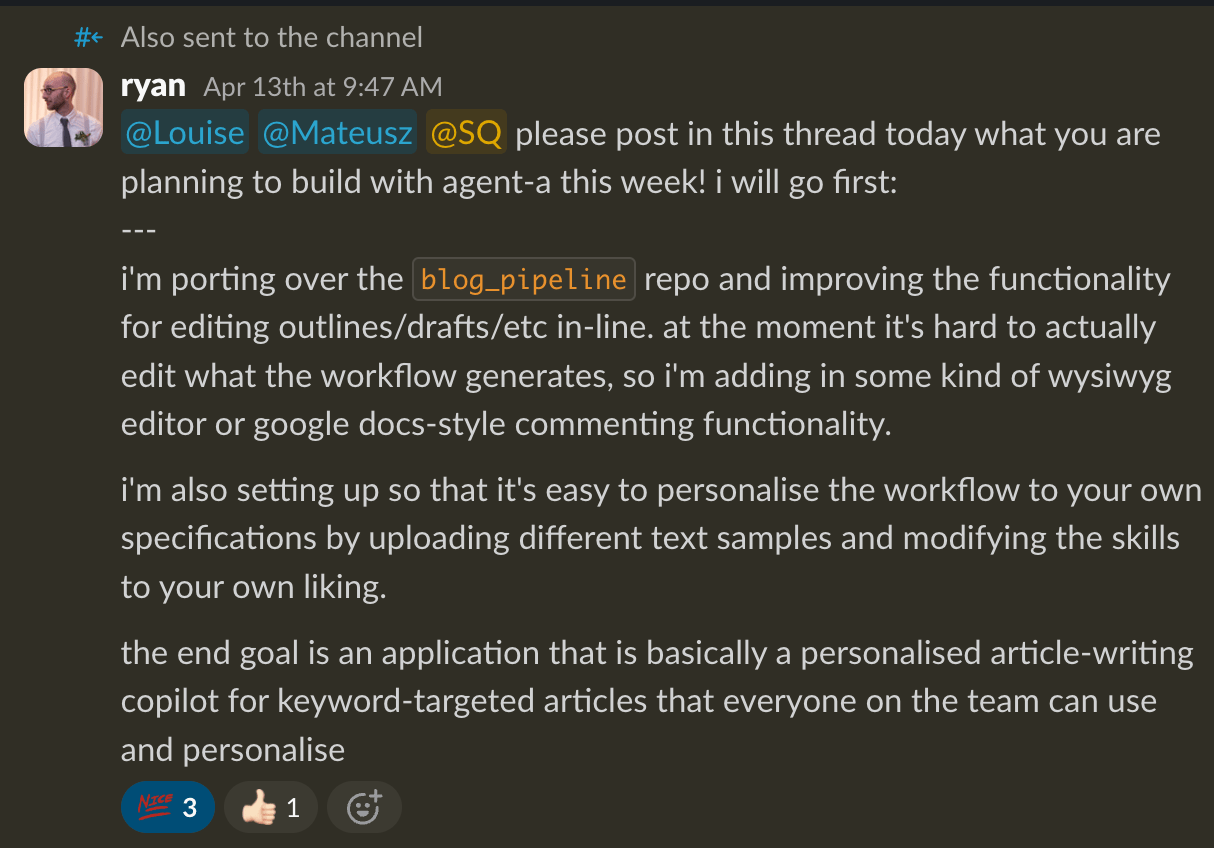
The week before the hackathon, Ryan Law, our Director of Content Marketing, dropped a message in our team Slack: no writing this week. Instead, spend the entire week building your own AI content system to automate or speed up whatever part of your role you find most painful.
The “rules”, if you will:
- On Monday, share what you’re trying to build.
- During the week, build it in our shared Agent A workspace.
- On Friday, share what you built, why you built it, and how it works.
Ryan also gave us one important constraint: The more specific your goal, the better the outcome.
The point was not to create perfect products in a week. It was to force everyone to pick a real bottleneck and build a useful v1.
Agent A gave us the place to do that. Especially since it’s connected to Ahrefs data where we could build around actual content and SEO workflows.
By the end of the week, we had a strange little internal app store.
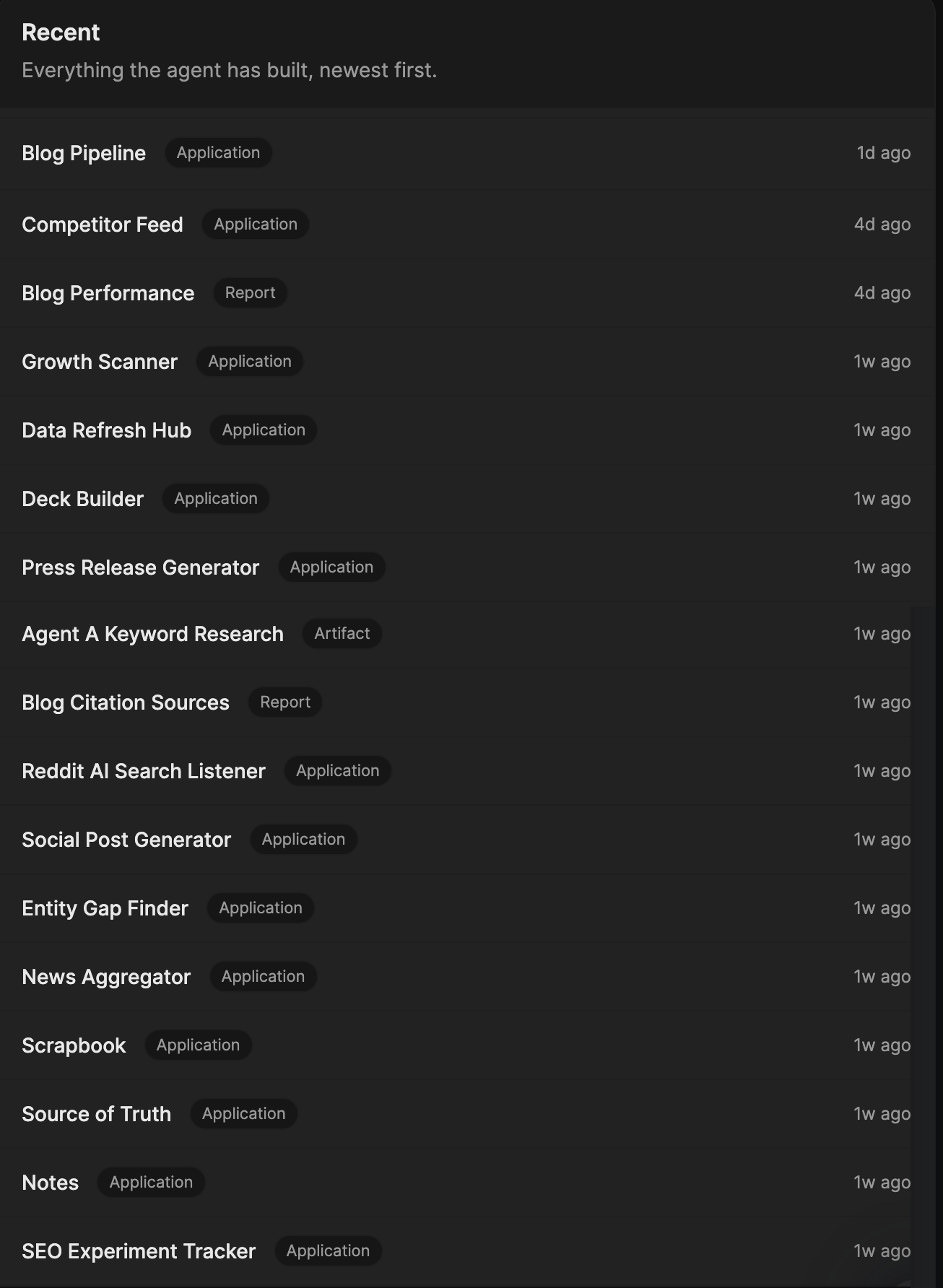
Here are all the tools we’ve built, grouped by the job they do.
A research library that doesn’t get lost
Two of us independently built versions of the same thing.
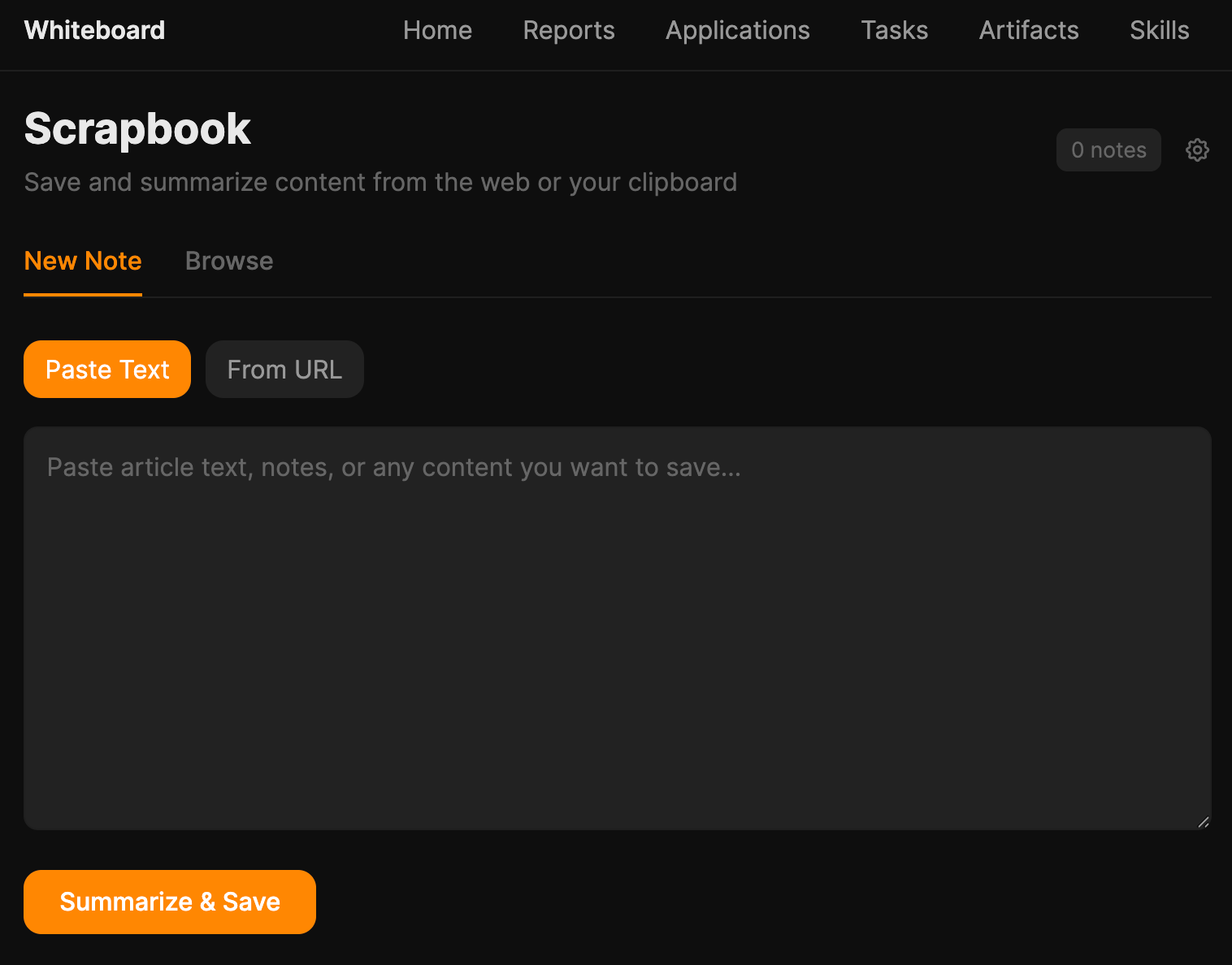
Mateusz’s Scrapbook lets you paste any URL or block of text, and the AI reads it and saves a structured note with summary, key bullets, claims-with-sources, and three article ideas inspired by it.
Louise’s SavedIn is a Chrome extension that scrapes Louise’s LinkedIn “Saved” list and dumps full posts (author, headline, body, URL) into a dashboard, plus a Media tab for YouTube transcripts and a URL inbox for “read this later, but also let the LLM read it”.
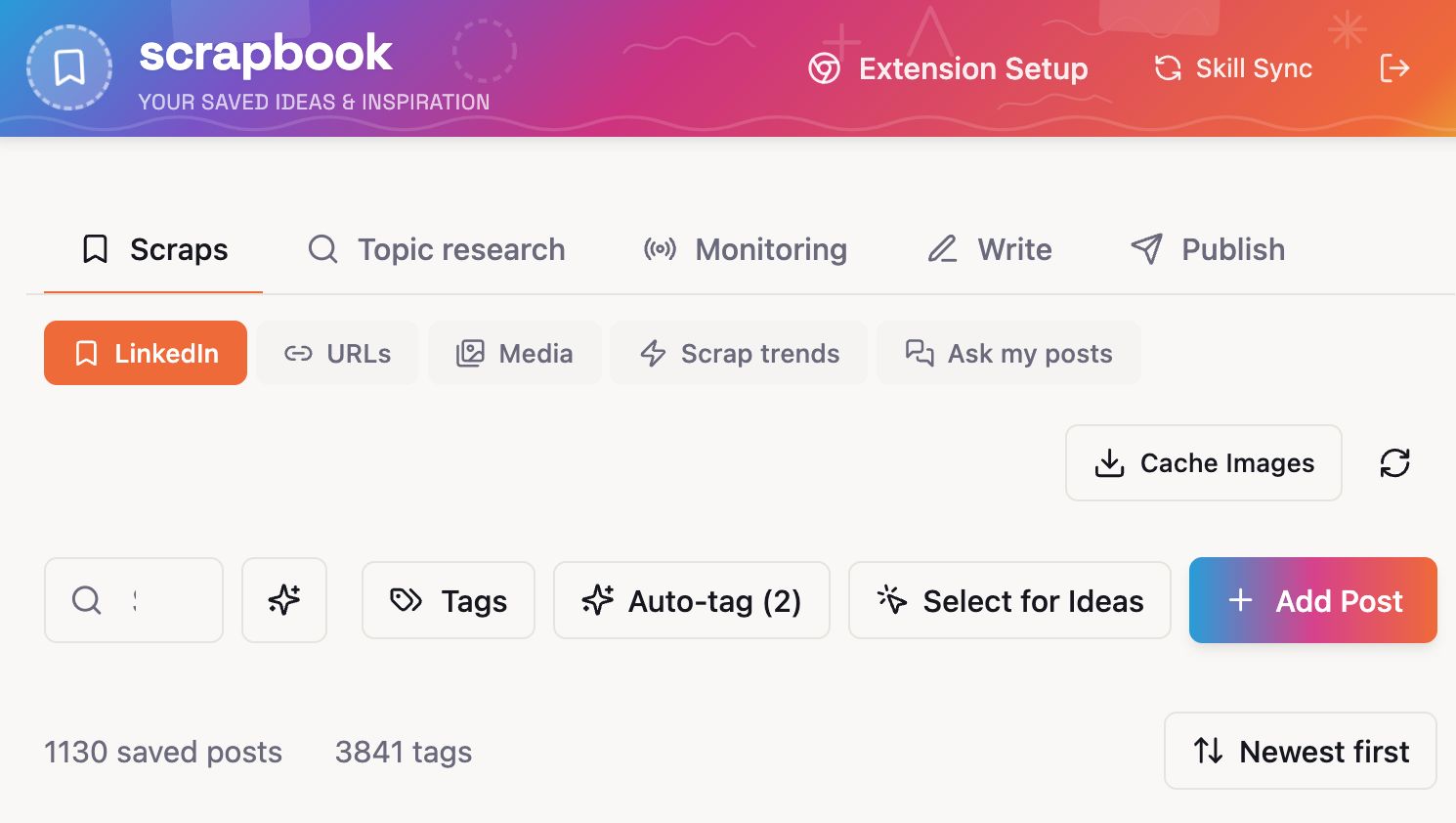
Different inputs, same idea: stop losing the good stuff you stumble across. Everything backs up to GitHub. The whole team can browse each other’s research library.
A nice side effect: with that much structured material sitting in one place, you can ask interesting questions of it.
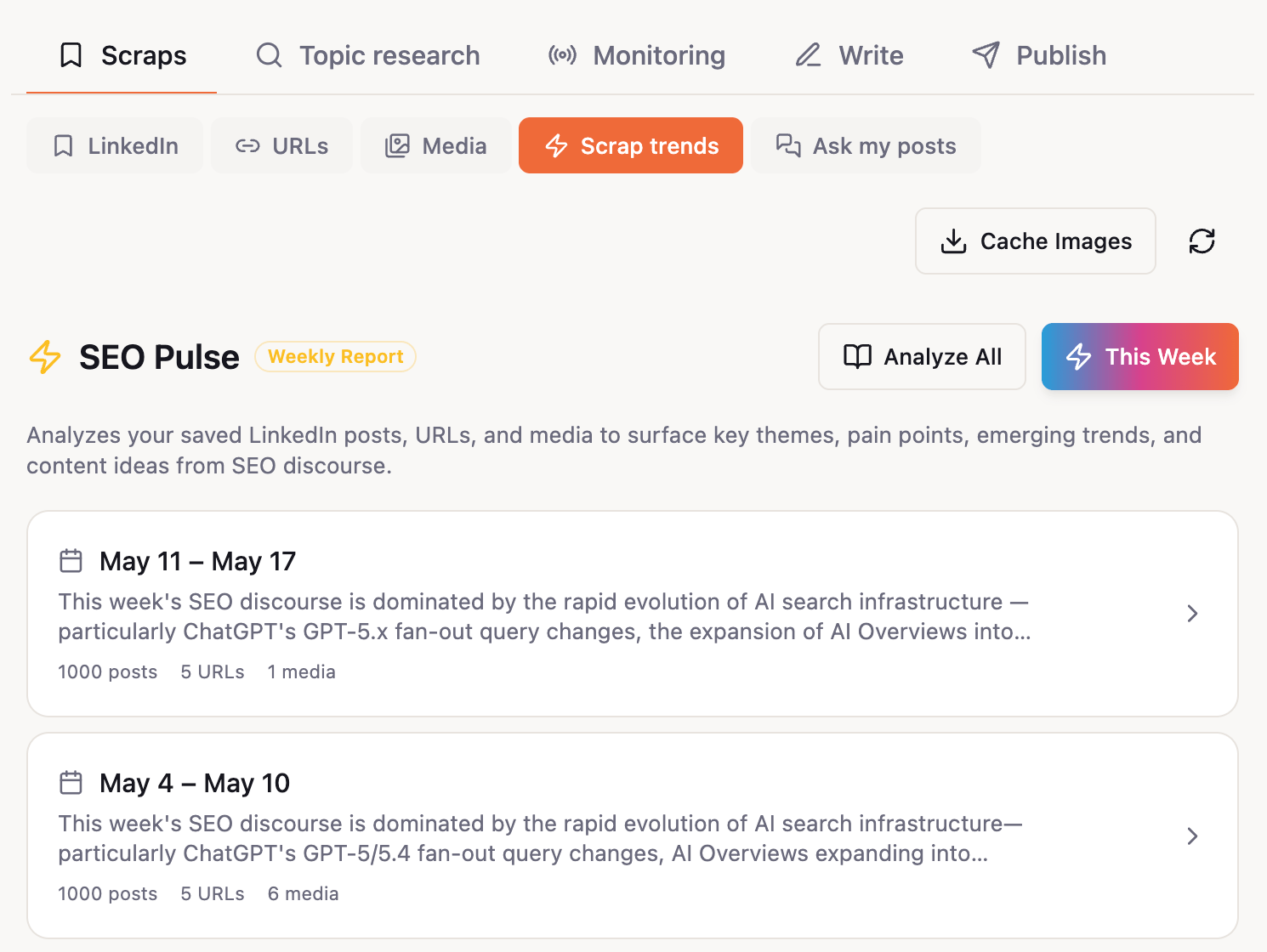
Louise added a “Scrap trends” tab that runs a weekly LLM report over her library and returns themes, pain points SEOs are talking about, and 5 to 10 ready-to-brief article ideas. The clipping tool quietly turned into an editorial calendar.
Knowing what to write next
We built three tools that chip away at the “what should we write” problem from different angles.
The biggest is Mateusz’s Keyword Research Hub, a four-tab workflow over Ahrefs data:
- Discovery pulls seed-and-related keywords with branded/NSFW filters.
- Content Gap finds competitor keywords we don’t rank for.
- Breakout finds blog keywords ranking 31 to 100 that don’t have a dedicated page yet.
- Master List dedupes everything and labels it by cluster and tier.
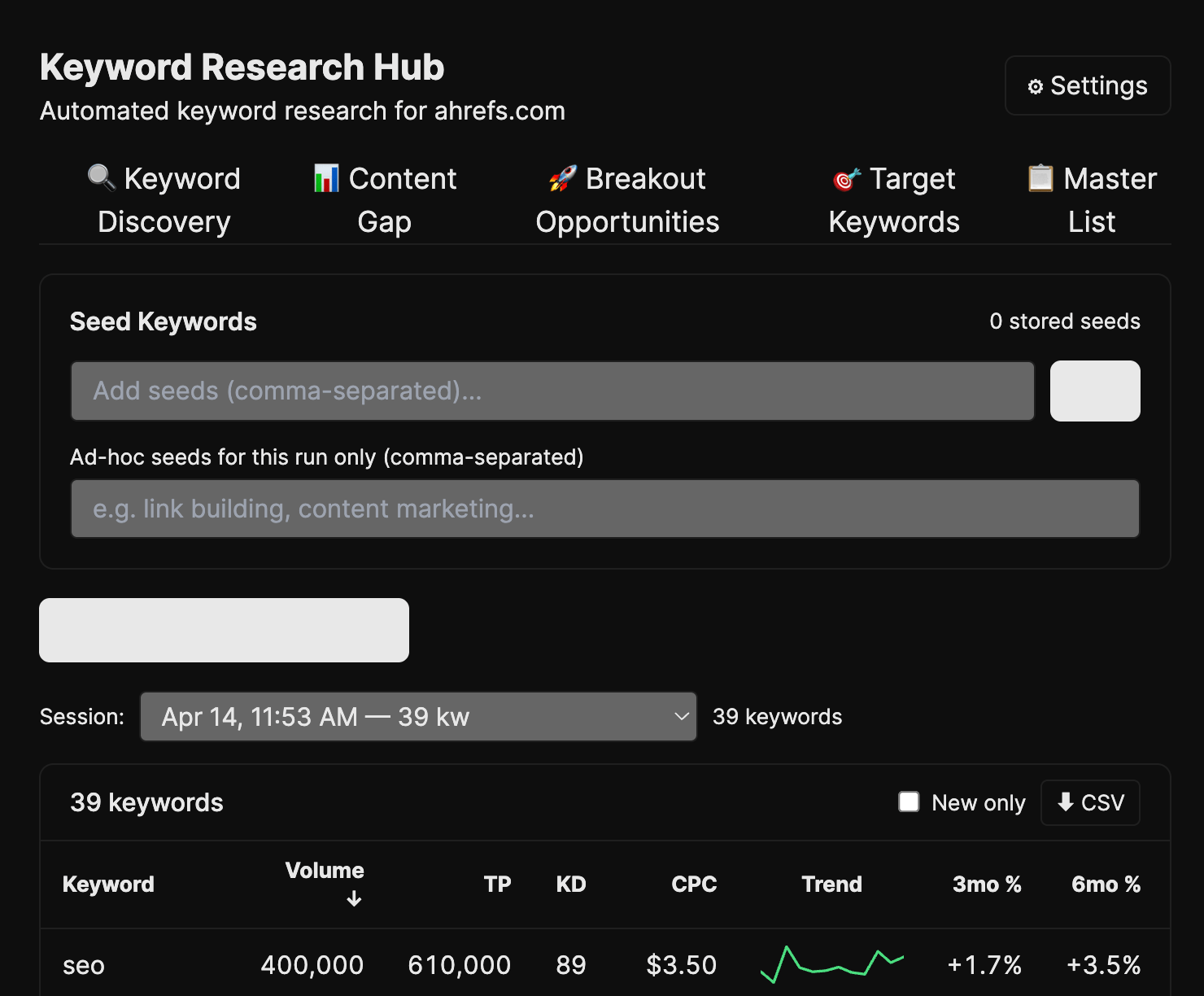
The clever bit is the tier system: each candidate gets a cosine distance from your topic clusters, then cut by percentile into Tier 1 (core orbit) through Tier 4 (probably noise). You stop arguing about whether something is “on-topic” because the math just tells you.
Louise’s Trending Keywords is the daily version: takes her seed topics, queries Ahrefs every day, and surfaces what’s new, what’s growing 3m/6m/12m, and whether we already rank. The “spot it before everyone else does” tool.
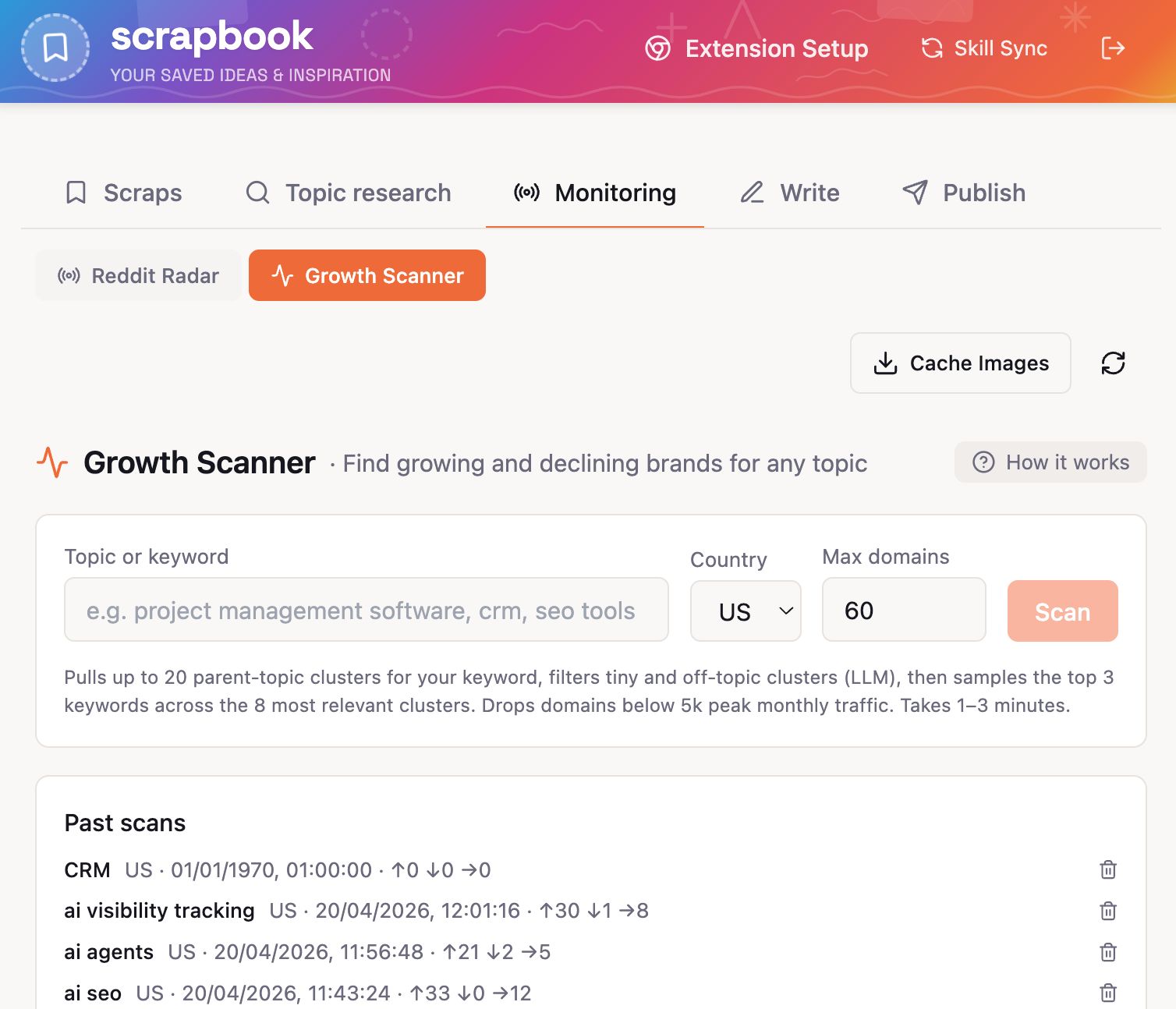
My Entity Gap Finder comes at it from a different angle. It scrapes our entire blog for entities and terms we mention often, checks if we have a dedicated page for each, and shows where we rank.
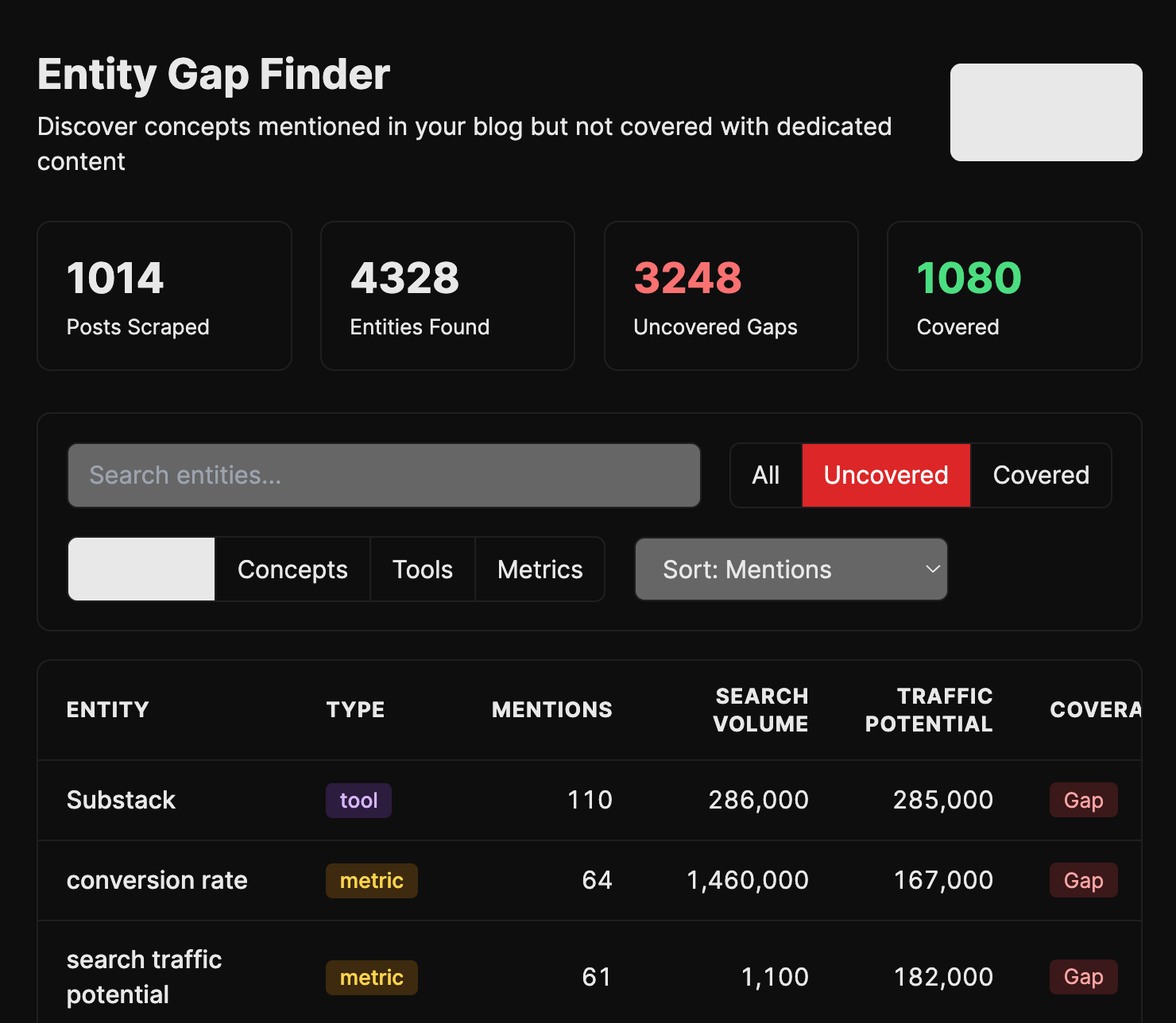
I built it because I kept noticing we’d reference a concept fifty times across the blog without ever writing the post that should rank for it. Plumbed into the pipeline, it should generate those posts automatically.
An always-on radar
Mateusz and Louise both built Reddit listeners. Independently. On the same day. That probably tells you everything about how much we wanted one.
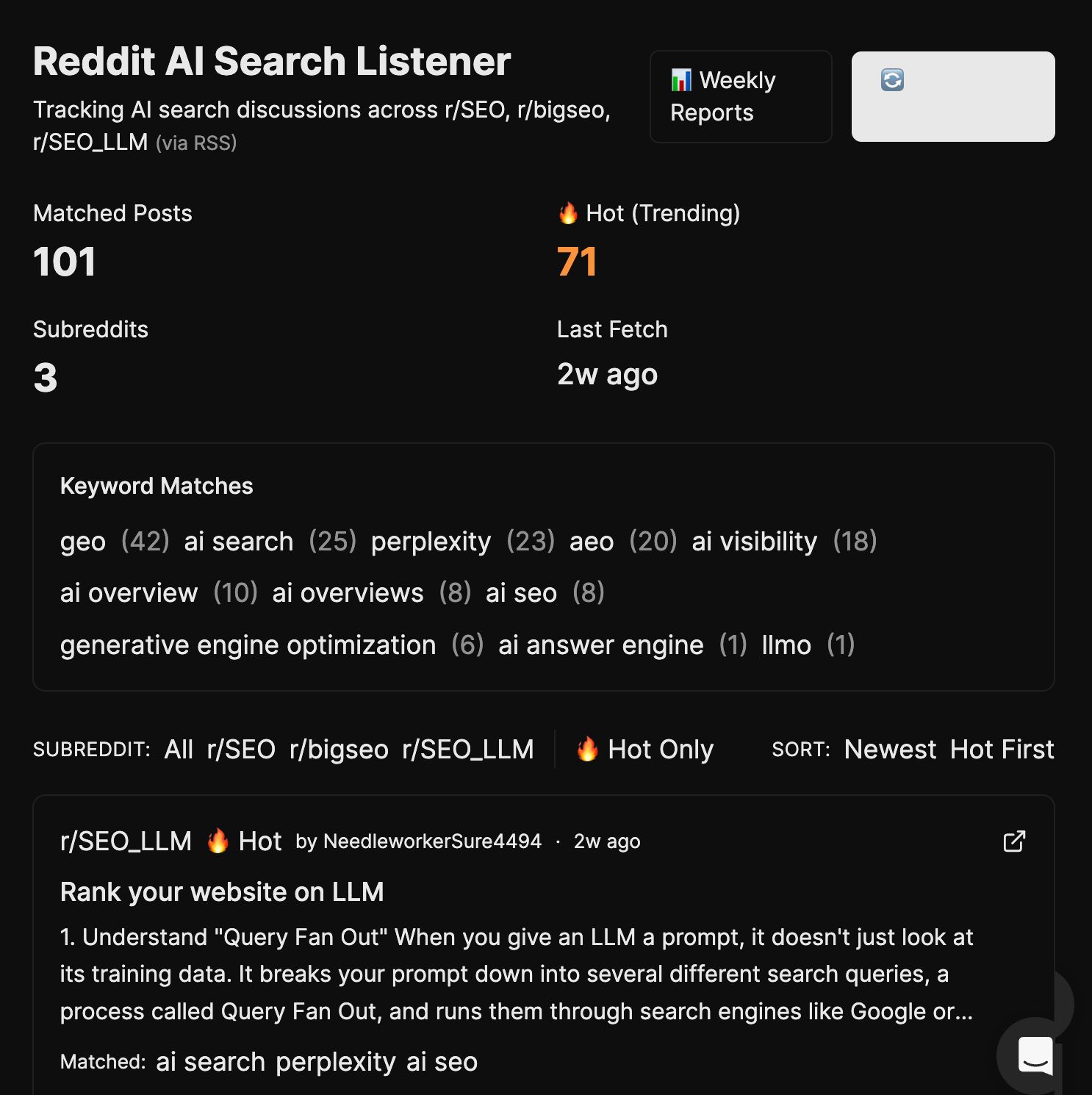
Both versions scan r/SEO, r/bigseo, and r/SEO_LLM for AI-search discussions (GEO, AEO, AI Overviews, Perplexity, ChatGPT search), flag the “hot” posts the algorithm is surfacing, and roll the week up into a Monday report: themes, pain points, emerging trends, blog ideas. Mateusz calls it “RSS on steroids”, which is the best description.
We also built two adjacent radars.
My Search Marketing News Aggregator grabs the last seven days of search-and-marketing news (built for our newsletter, now used by anyone scanning what happened this week).

And Mateusz’s SEO Experiment Tracker lets you set up an experiment with a URL and hypothesis (“adding FAQ schema will increase AI Overview citations”), snapshot baseline traffic and rankings from Ahrefs, take periodic snapshots, and at the end hit Assess for an LLM verdict: Worked, Didn’t Work, Inconclusive, or Too Early.
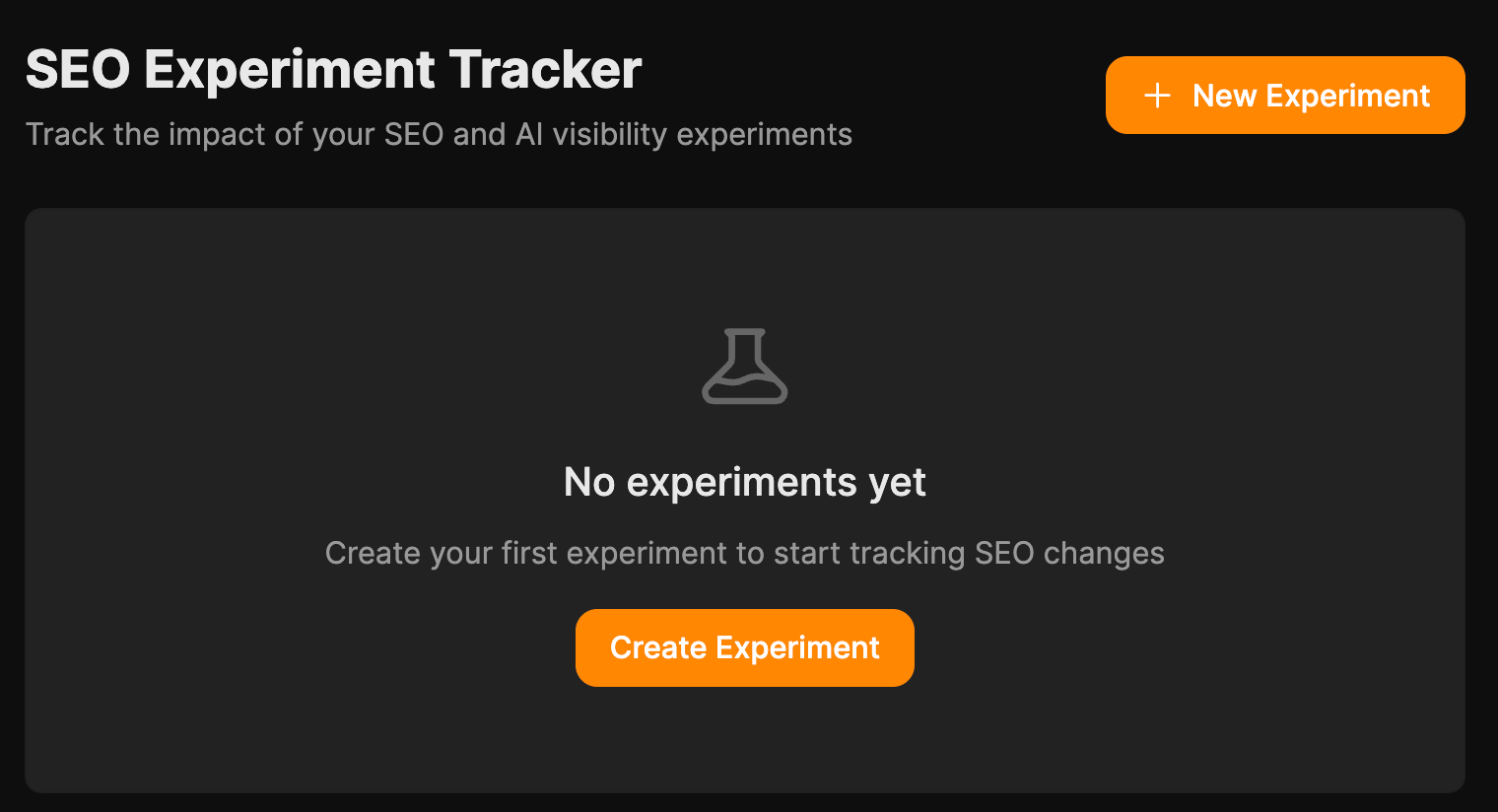
Stop relying on “I think this worked” and have the receipts.
Moving work through the pipeline
Ryan imported his blog pipeline from Claude Code to Agent A without a hitch:
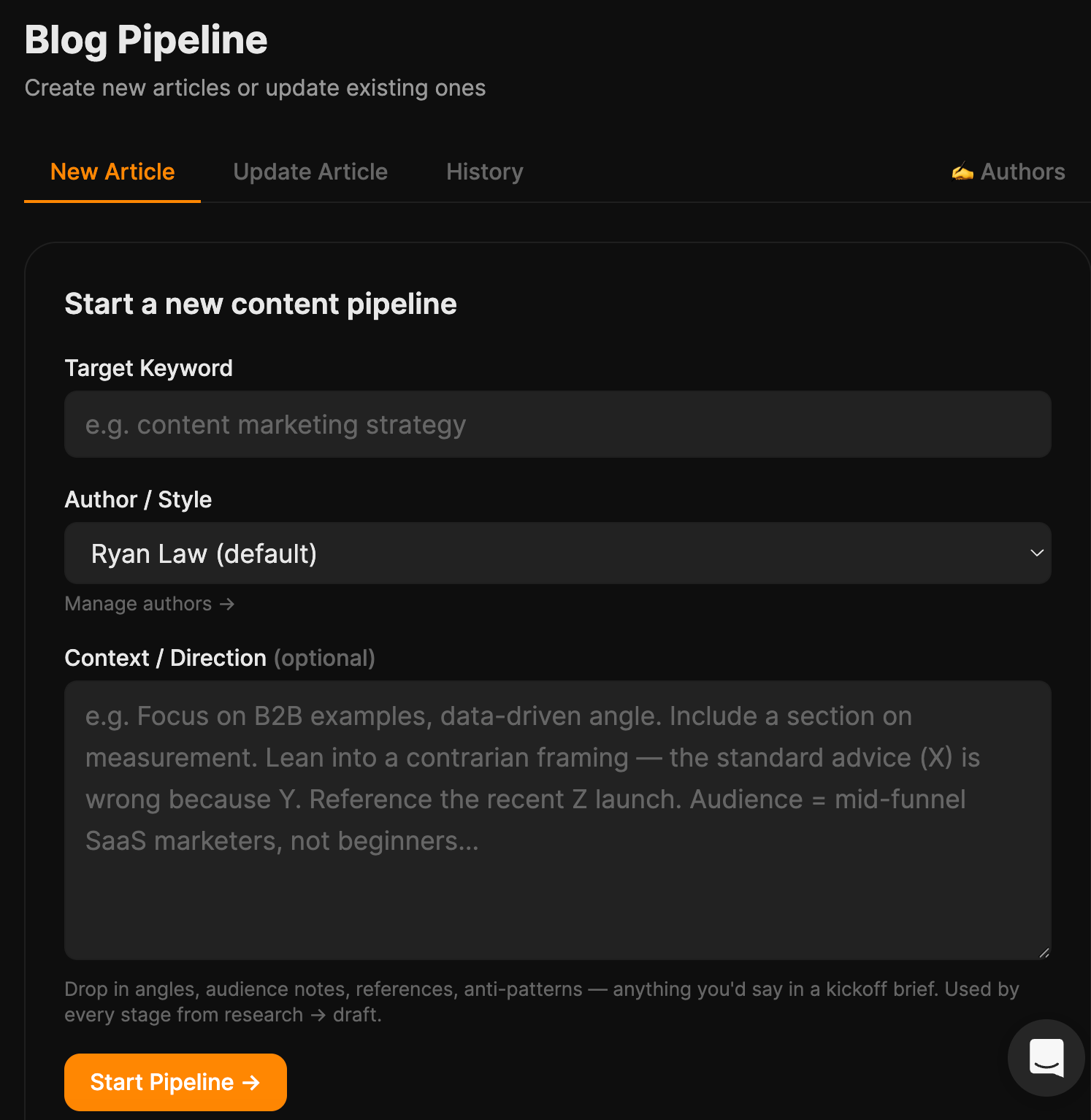
While Louise built her own Editorial pipeline: brief → outline → draft → edit → polish → verify → publish, with scrapbook context fed into every stage.
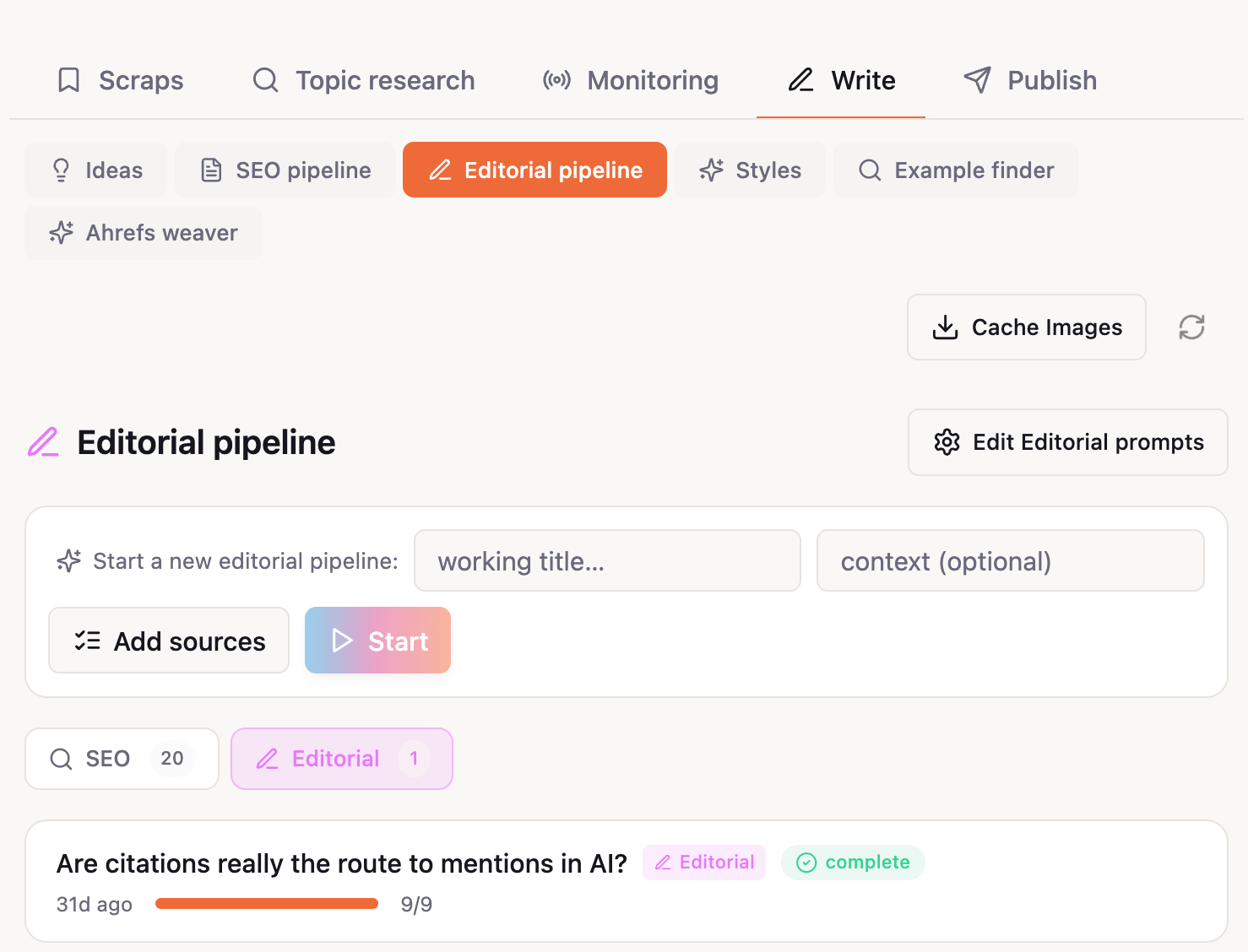
Each stage’s output is editable before moving on, and after it finishes there’s a Refine mode, a chat loop where Louise can ask for changes (“tighten the intro”, “swap this example”) and adopt or revert each one individually.
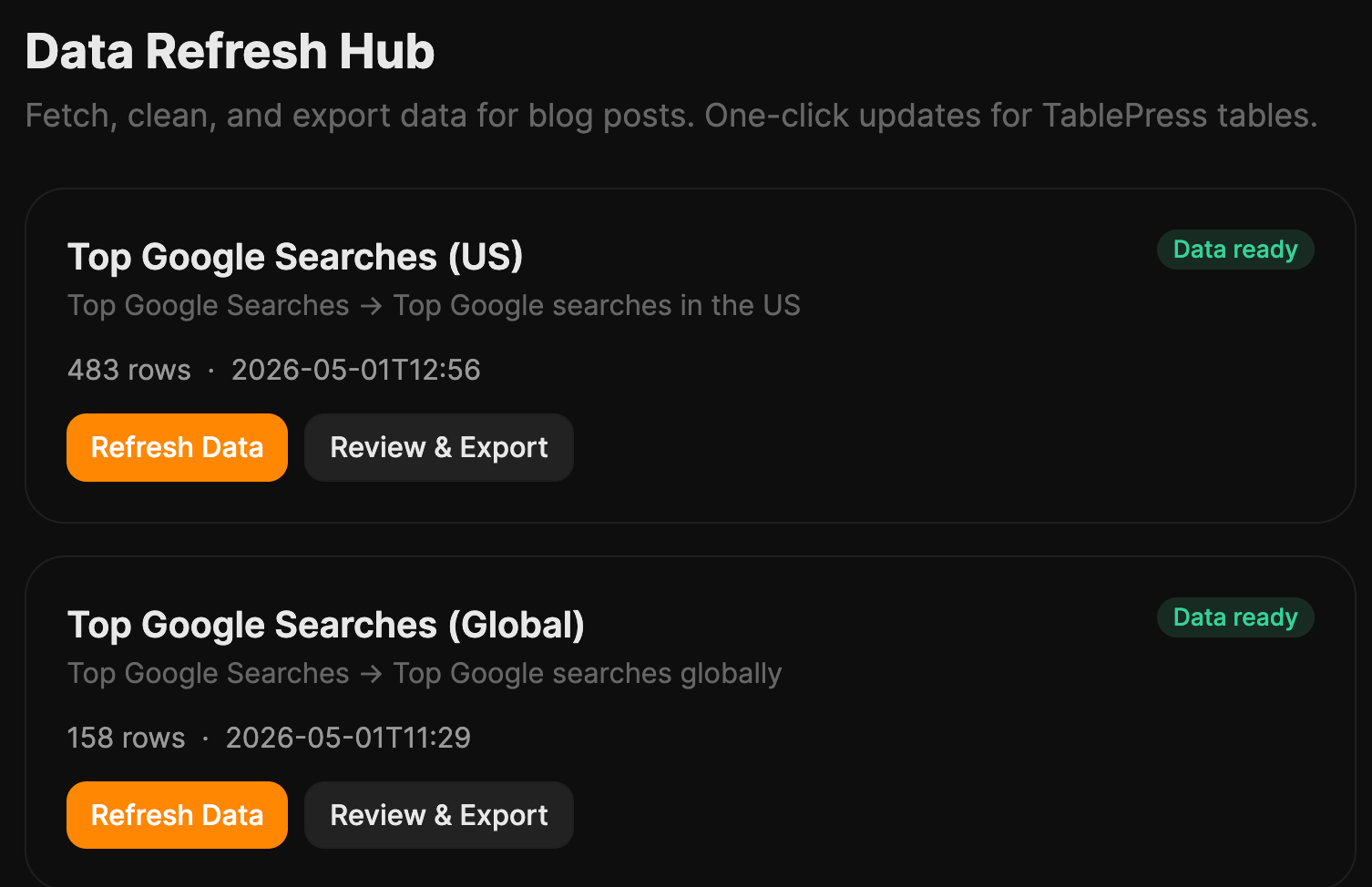
My Data Refresh automates the surprisingly painful quarterly chore of updating our data-driven posts (top Google searches, top Google questions, and so on). It pulls fresh data, filters it, and hands me TablePress-ready output.
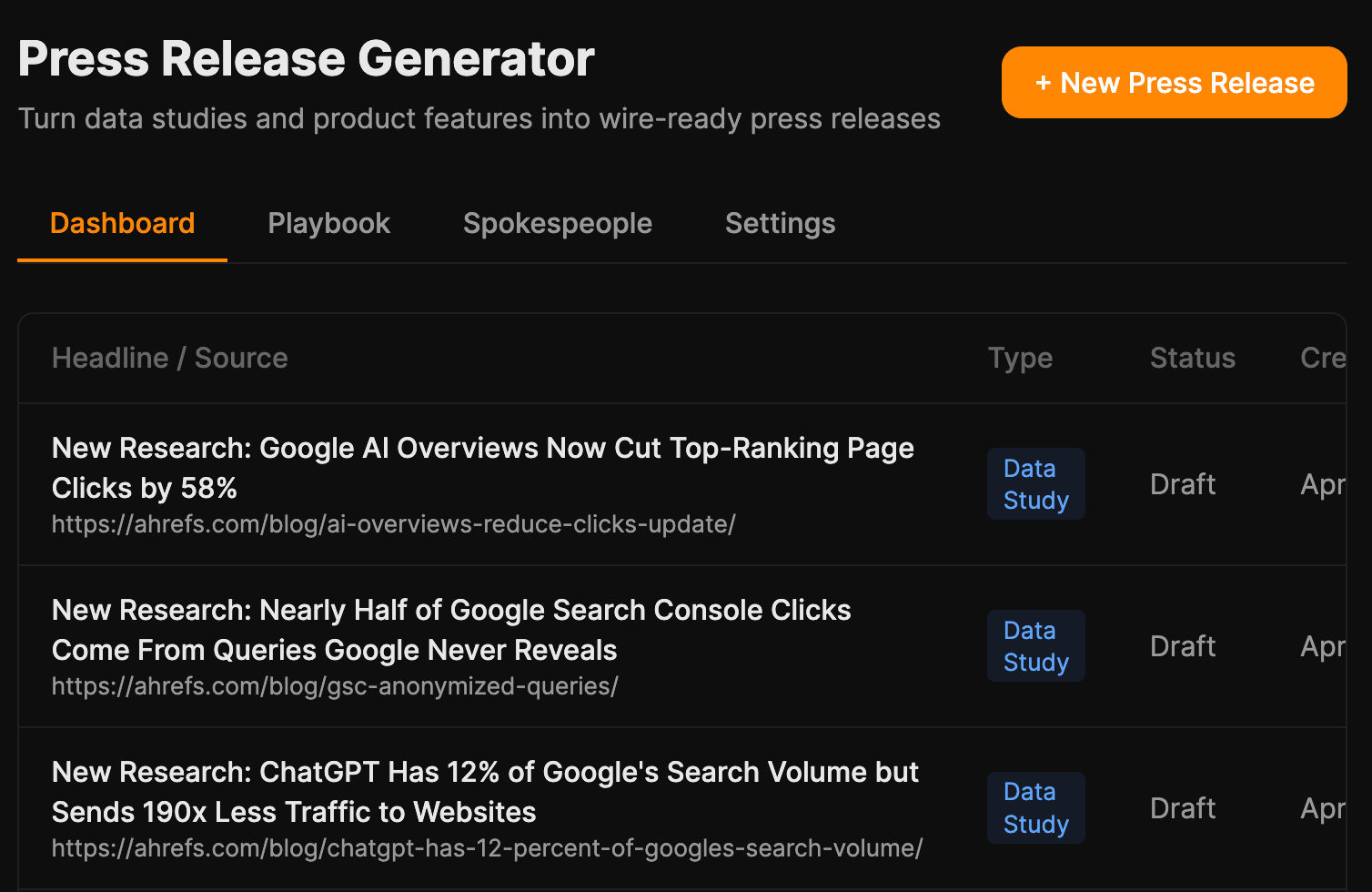
My Press Release Generator turns a blog URL or product-feature note into a press release; goal is to plug it into our data-studies category so every new study auto-generates one.
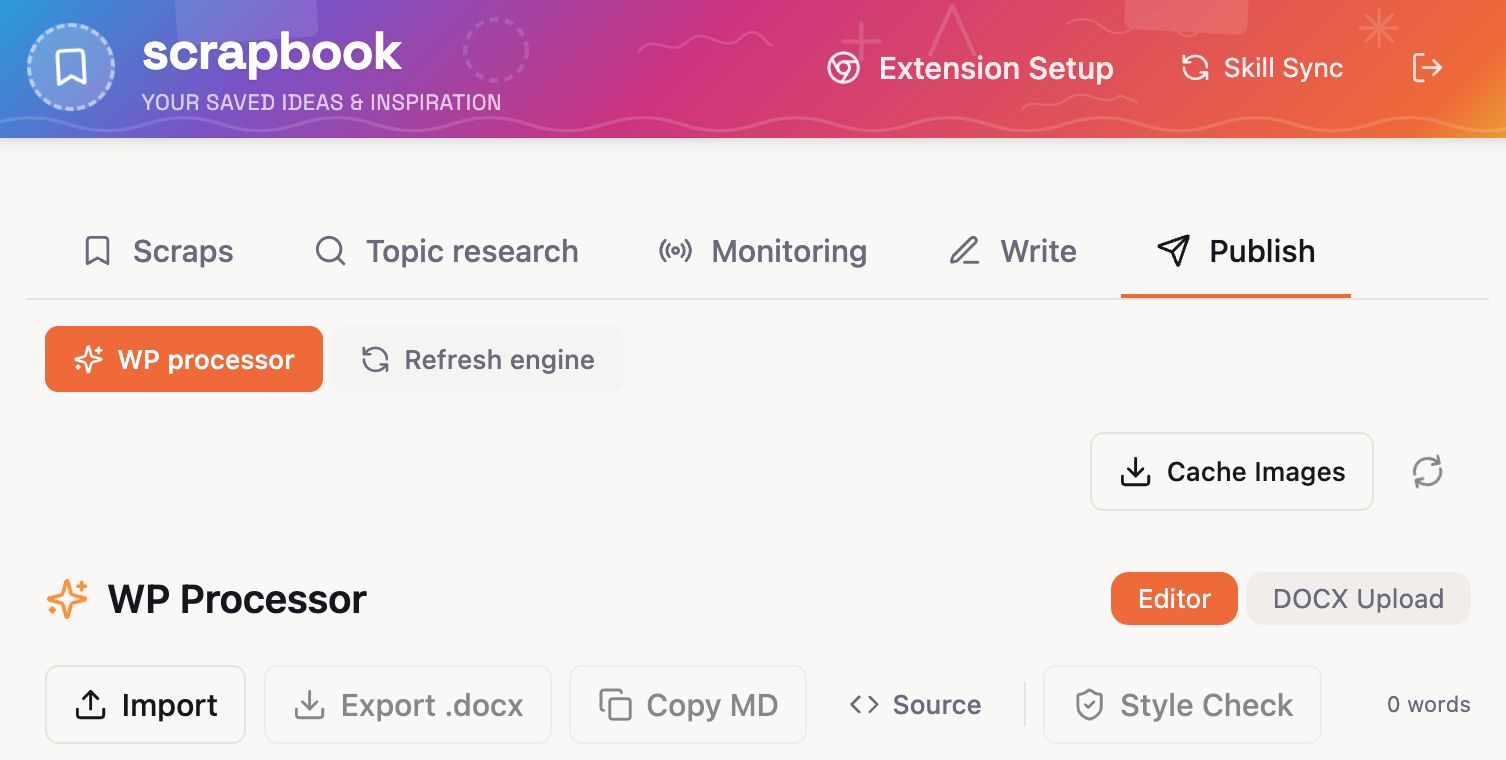
Louise’s WP Processor takes a finished draft and returns WordPress-ready HTML with internal links and formatting handled.
None of these are sexy. All of them claw back hours.
The plumbing nobody notices
The thing that quietly impressed me most isn’t a tool.
It’s the pattern Mateusz wired through Scrapbook, Notes, and Source of Truth: every repo has an index.json that auto-updates whenever a file is created, edited, or deleted.
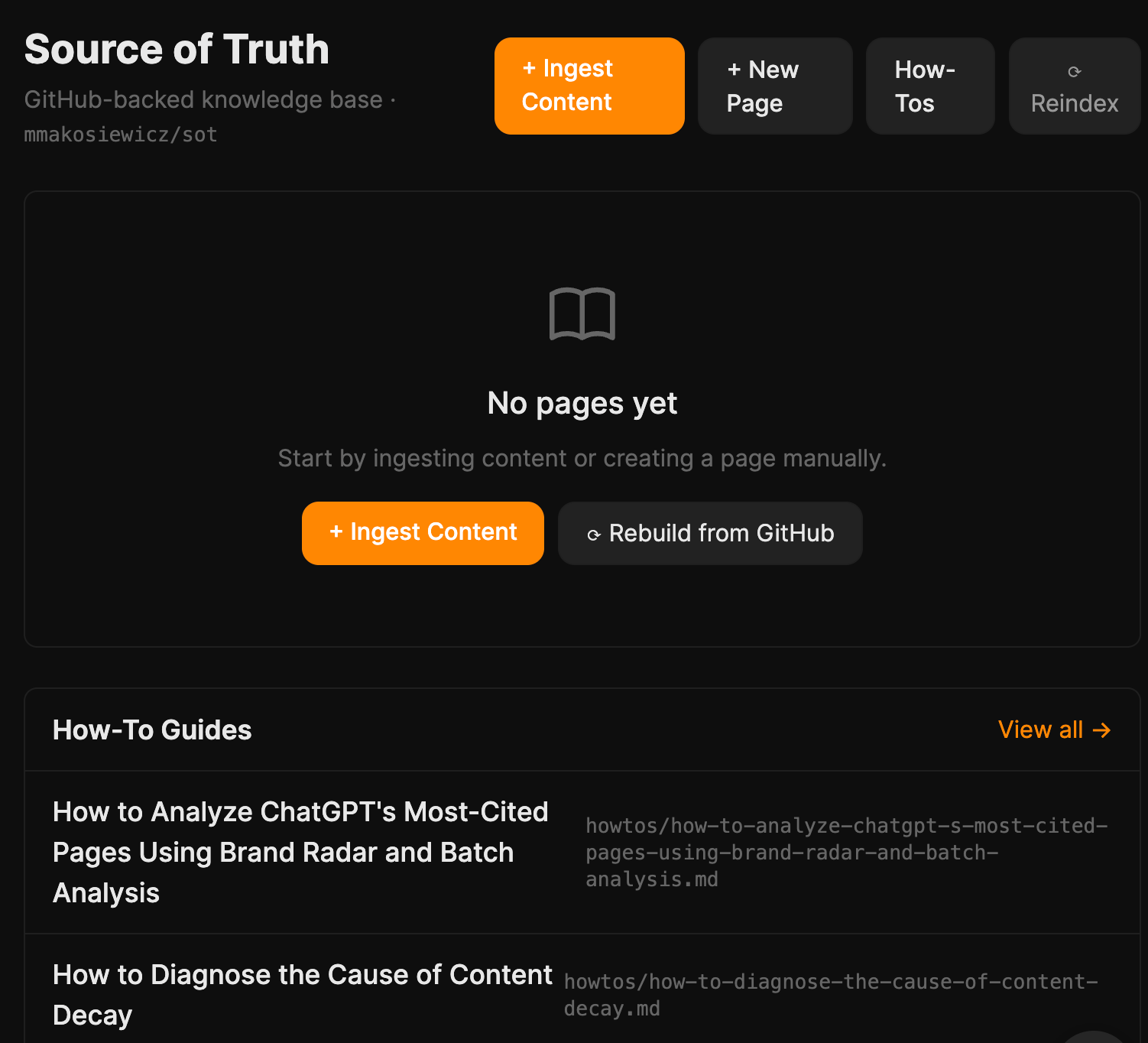
From that index, a lightweight reference file gets regenerated, a plain-text summary the agent reads at the start of any conversation. The agent knows what exists without fetching anything, and only pulls full content when it actually needs it.
A few things came out of the demos on Friday that we didn’t see coming on Monday.
Building with Agent A is addictive in a way using ChatGPT isn’t
As Mateusz said:
“This tool expands what feels possible, and it’s addictive. You keep thinking about what else you could build, even beyond SEO.”
This was how Mateusz ended up with tools like Scrapbook, his very own inspirations clipping tool. Paste any URL or raw text, and Agent A will read it and generate a structured note with a summary, key bullet points, specific claims, data points, and three article ideas inspired by the content.
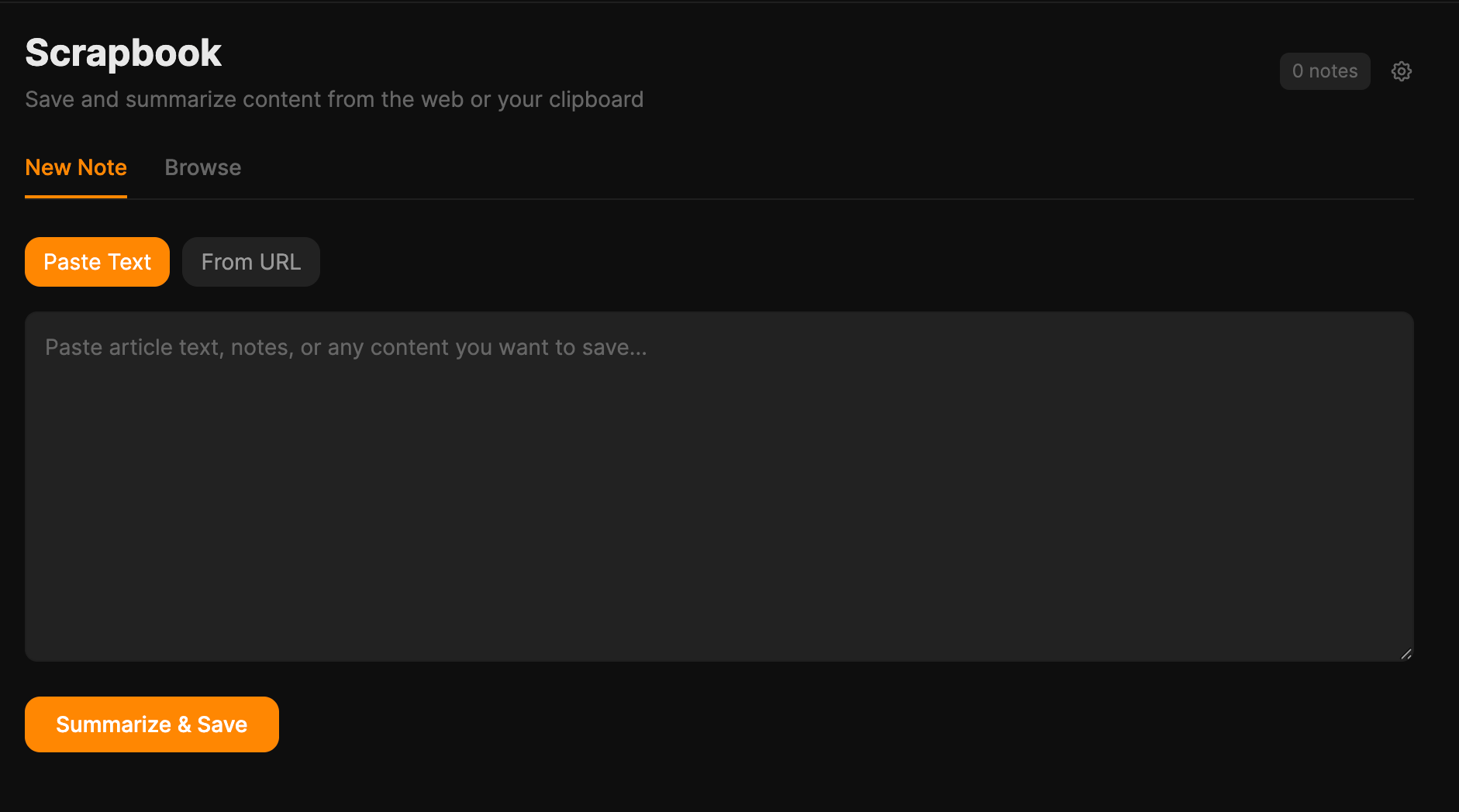
It’s not directly SEO-related but it’s a base for him to draft his next thought leadership piece.
That’s what “use AI more” can’t capture. Using ChatGPT feels like asking a smart friend for a favour. Building a tool feels like hiring one. Once you’ve hired one and watched it work, you start looking around your week for the next thing to hand off.
The best tools wrapped around things people already did
None of the standout projects asked anyone to invent a new workflow from scratch.
- We were already saving LinkedIn posts; SavedIn made the saves usable.
- We were already collecting URLs; Scrapbook gave them structure.
- We were already lurking on Reddit; the listener turned the lurking into a weekly report.
- We were already refreshing data posts every quarter; Data Refresh just made the refresh take an hour instead of a day.
Don’t build a tool that requires a new habit. Build the one that makes an existing habit faster.
Memory and context matters more than word generation
The big unlock wasn’t “AI can write.” Everyone knows that.
It was that the agent could pull up the right facts, like past drafts, saved research, our internal style guide, what we already rank for, without us pasting them in every time.
Tools like Source of Truth, Scrapbook, SavedIn, Notes, the GitHub-backed indexes, Louise’s writing-sample library, the editorial-style skill, none of these generate content. They capture, organise, and retrieve context.
The drafts that come out of pipelines hooked into them are markedly better than drafts from pipelines that aren’t. If you’re picking one thing to copy from this hackathon, copy the memory layer first. The writing tools improve themselves once the memory exists.
Old builds port over fast
Louise had already prototyped pieces of her workflow on Lovable, and was bracing for a painful rebuild. She got the opposite:
“It’s very easy to move a project from another platform like Lovable and rebuild it in Agent A. Just export the code and Agent A instantly rebuilds it.”
So if you’ve already started building somewhere else, you don’t lose the work. You just plug it in next to Ahrefs data.
If your team is stuck in the “use AI more” fog, run a version of this. Here’s the playbook, in the order it actually has to happen.
1. Pick one team
Our hackathon was only four people. All on the content team. We didn’t invite anyone else from sales or product marketing to join in.
You’d want to resist the urge to make it cross-functional on round one. Twenty people across three departments turns the hackathon into a series of Zoom calls and meetings. That defeats the purpose of a hackathon, which is to build.
Pick the team with the most repeatable, painful workflows. Content, SEO, ops, support, lifecycle marketing — anywhere people do roughly the same thing every week. Roll it out wider after you have demos to point at.
2. Block the full week on calendars
This is the one that quietly kills most “innovation weeks.” Don’t ask people to build “alongside” their normal work. They’ll default to the normal work.
Ryan cleared our week the Friday before: no posts, no edits, no meetings outside the hackathon, OOO replies on Slack. If you genuinely can’t spare five days, do three. Don’t do one.
3. Have everyone write a frustrations list before they touch the agent
I’ll be honest: We didn’t do this for our hackathon. But I did this for myself personally and found it helpful.
Because the list of what you could build is infinite. Between that and “use AI more”, you can be caught in a panic and end up doing nothing. So, having a list of frustrations made tackling the hackathon easier.
So, you’d want to list down the things in your job that you keep doing manually that you wish you didn’t have to. That’s how I came up with my Data Refresh tool. It was because something that looked so simple on paper took me surprisingly long to do.
Two rules:
- Be specific. Not “research”, but “I spend two hours every Monday going through my LinkedIn saves and pasting the good ones into a doc.”
- Be honest. Boring chores count. The most-used tools we built came from chores, not from anyone’s clever AI idea.
Those lists are the briefs. The more specific the frustration, the better the tool.
4. Get interviewed by the agent first
Why does this interview step matter? Here’s what Louise said:
“It’s easy to get stuck in prompt loops improving the UI of your app, and making constant incremental improvements, rather than making sure the app achieves its overarching goal. This leads to a lot of token waste. Instead it helps to plan what you want beforehand and spend time talking/being interviewed by the Agent before you start building.”
Again, full honesty: I didn’t do this myself. But it’s such a great idea. The next time we run a hackathon, or even just me building something for myself, I’m going to do this.
You should too.
5. End the week with demos
Everyone shows what they built, why, and how it works.
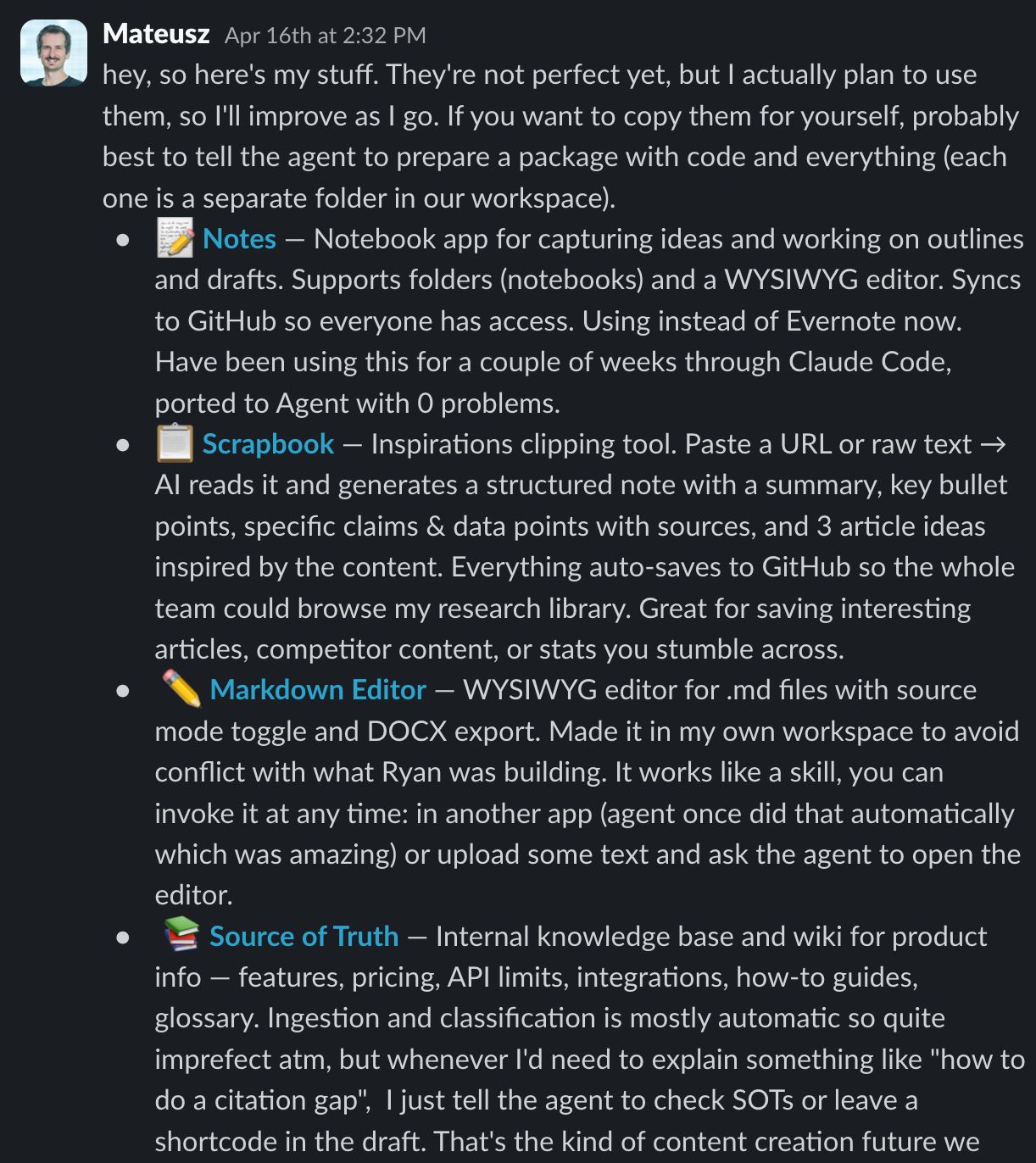
The demos are where the cross-pollination happens, where someone realises their tool would be 10x better with the data another teammate’s tool produces, and where the next week’s work plans itself.
Final thoughts
The marketers winning with AI right now are not the ones with the cleverest prompts or the longest stack. They’re the ones who took a week to look honestly at their own work, picked the boring repetitive parts, and built the small tool that handles them.
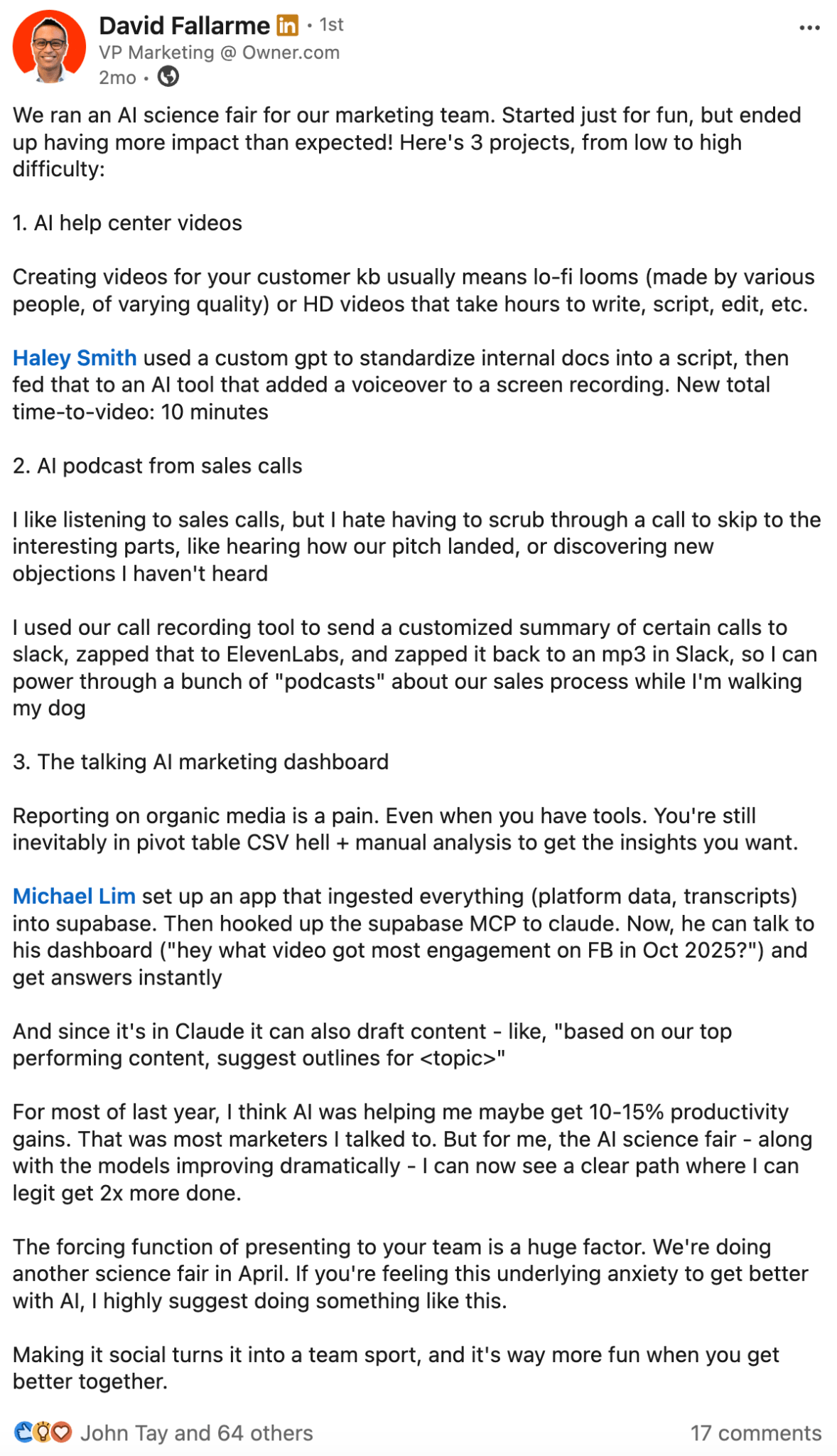
Stop trying to “use AI more”. Start by listing the five things you keep doing manually that you shouldn’t have to.
Then take a week and build them away.